Marketing land on Facebook sounds simple — until you’re juggling dozens of listings, multiple pages, and trying to stay consistent while running your business. Many land investors start strong, posting regularly for a few weeks, only to fall behind when acquisitions, sales, and customer calls pile up. The reality is this: most Facebook marketing doesn’t fail because of bad properties. It fails because of inconsistency.
That’s where ParcelView3D can make a major difference. Instead of manually creating every post from scratch, copying links, uploading images, and trying to remember when to post next, ParcelView3D helps automate the process while giving buyers a more engaging way to experience your listings.
In this guide, we’ll walk through how to automatically post land listings to Facebook using ParcelView3D, how to customize your content, and how to make your posts stand out in a crowded social feed.
Why Facebook Posting Matters for Land Sellers
Facebook continues to be one of the strongest channels for reaching land buyers, especially those browsing casually before becoming serious prospects. But here’s the challenge: static land posts often blend into the background. A few parcel photos and a short description rarely tell the full story of a property.
ParcelView3D helps solve this problem by making listings more visual, easier to understand, and faster to market. Instead of manually creating repetitive posts every day, you can streamline the process and create a better buyer experience.
Step 1: Open Your Social Posting Settings
Start by logging into your ParcelView3D account. Click your name in the menu and select Social Posting. This is your control center for managing how your Facebook listings are published.
Step 2: Connect Your Facebook Account
Once inside Social Posting, connect your Facebook account and select the business pages where you want listings to appear. Whether you manage one page or several, this setup gives you centralized control over where your content is published.
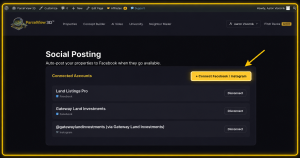
Step 3: Choose Manual or Automatic Posting
Not every land investor markets the same way, which is why ParcelView3D gives you flexibility.
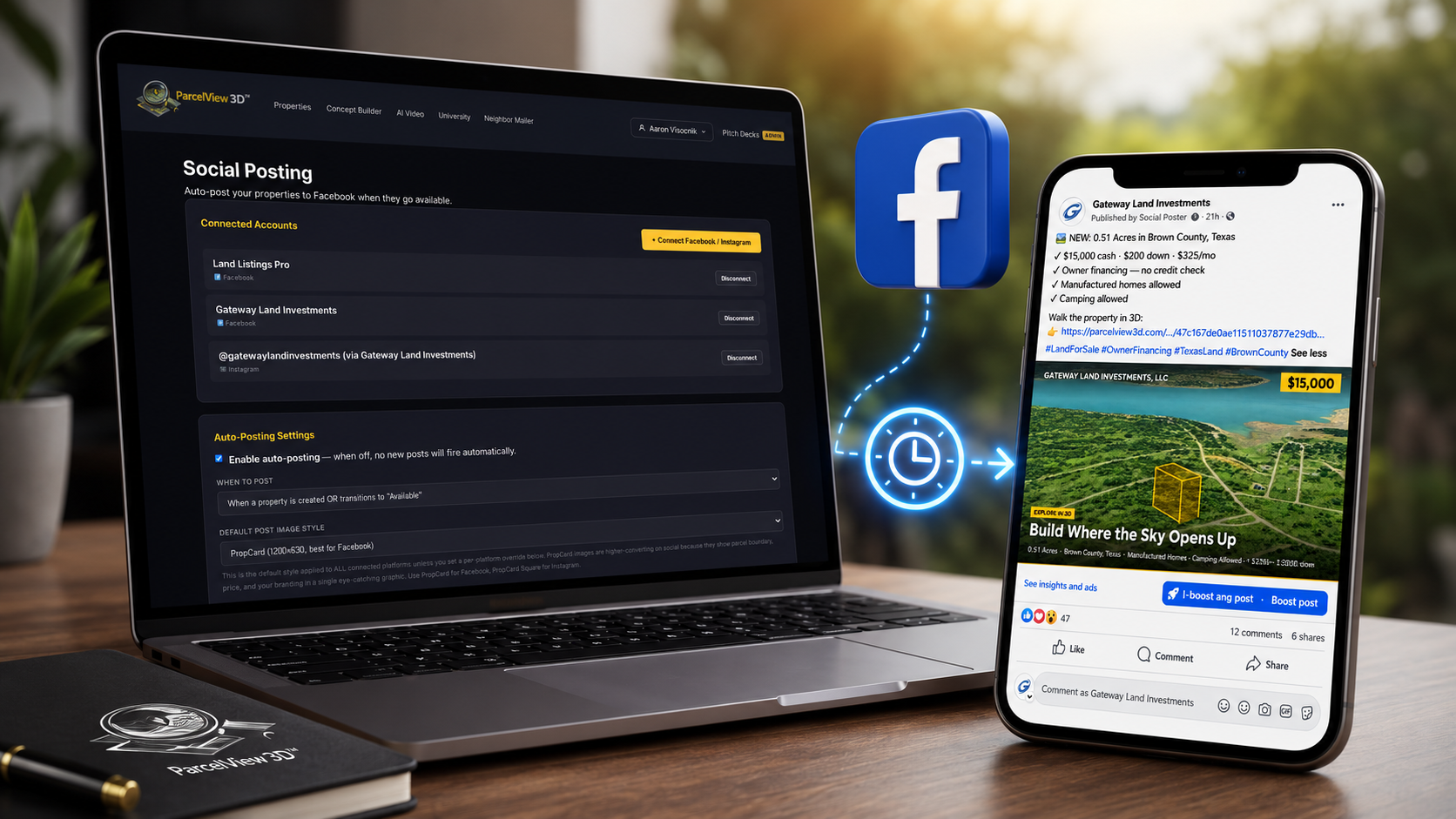
If you like reviewing every post before it goes live, you can leave Auto-Posting turned off and publish manually whenever you’re ready. Prefer to save time and stay consistent? Enable Auto-Posting and let ParcelView3D automatically handle publishing based on your preferences.
Consistency matters more than most people realize. A steady stream of listings often performs better than occasional bursts of activity.
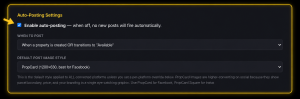
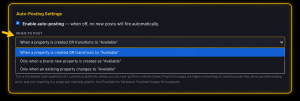
Step 4: Set Your Posting Schedule
Next, decide when your listings should be posted. Rather than uploading everything at once, spacing out posts throughout the week helps keep your audience engaged while giving each property more visibility.
A consistent schedule also helps train your audience to expect new listings, increasing repeat engagement over time.
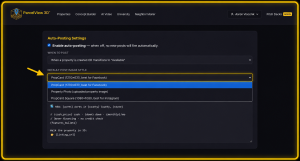
Step 5: Select Your Post Style
Now it’s time to choose how your listing will appear on Facebook.
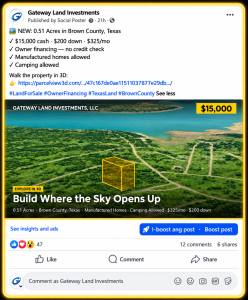
For most land sellers, PropCard tends to be the strongest option because it immediately grabs attention in a crowded feed. When people are scrolling quickly, presentation matters. Strong visuals help stop the scroll and encourage clicks.
You can also personalize your post template by adding pricing details, financing terms, hashtags, and custom messaging that matches your brand. Before publishing, preview everything to make sure it looks exactly the way you want.
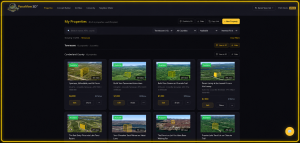
Step 6: Go to Any Property Listing
Once your social settings are configured, head over to any property inside ParcelView3D.
Step 7: Publish Your Listing
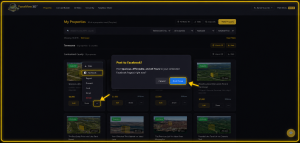
Ready to post? Click the three-dot menu on the property, select Facebook, and choose Post Now.
Within moments, your property is published directly to your connected Facebook page without needing to upload images, rewrite descriptions, or manually build another listing post.
Step 8: Create a Better Buyer Experience
This is where ParcelView3D creates a real advantage over traditional posting methods.
Instead of another generic land post that gets overlooked, buyers can click directly into the listing and explore the property in a much more visual and engaging way. That added clarity helps people better understand the land, feel more confident, and reach out with more informed questions.
For remote buyers especially, being able to explore a property online can make a meaningful difference in trust and engagement.
Final Thoughts
Posting land listings to Facebook shouldn’t feel like a full-time job. With ParcelView3D, you can simplify your workflow, maintain consistency, and create stronger listing experiences without spending hours manually posting every property.
Whether you want complete control or prefer a more hands-off approach, ParcelView3D gives land professionals a smarter and more efficient way to market properties online.
Big update coming soon
Next, we’re bringing Instagram TikTok and YouTube into the platform so you can manage and post your listings across all major channels in one place.
More reach. Less effort. One system.
Stay tuned!