How to Use the ParcelView3D Facebook Card
A step-by-step guide to turning any listing into a high-converting Facebook post.
Social media is where land buyers spend their time, and a single, well-presented post can be the difference between a listing that scrolls by unnoticed and one that fills your inbox with serious inquiries. The ParcelView3D Facebook Card is built for exactly that moment. It turns any of your active listings into a polished, professional preview that you can drop into a Facebook post in seconds — complete with your property’s best photo, pricing, and the kind of interactive detail that keeps buyers exploring. This tutorial walks you through creating and sharing a Facebook Card from start to finish, then shows you exactly what your buyers experience when they tap through.
Before You Begin
The Facebook Card pulls directly from the details already attached to your listing in ParcelView3D, so the stronger your listing, the stronger your card. Take a moment to confirm that your pricing, owner financing terms, and property description are current. The one essential ingredient is a Cover Art image — this is the photo Facebook displays at the top of your post, and it’s the very first thing a buyer sees. Choose a clear, attractive shot that makes someone want to stop scrolling.
How to Use the Facebook Card
- Set your Cover Art image. Open the property you want to share. If you don’t have a cover image yet, upload one and set it as the cover. Already have the right photo in your media library? Simply select it and click Set as Featured Image, and ParcelView3D will use it automatically.
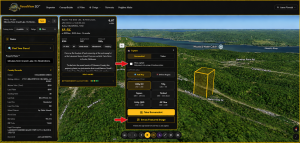
- Confirm the Cover Art is displayed. Return to the property page and check that your chosen image now appears as the Cover Art. This quick confirmation guarantees Facebook will show the right photo when you share.
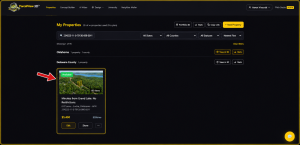
- Generate your shareable link. Click the Facebook Card button. ParcelView3D instantly creates a unique, shareable link for that specific property.
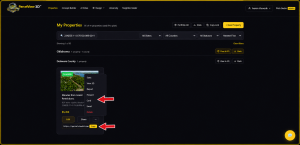
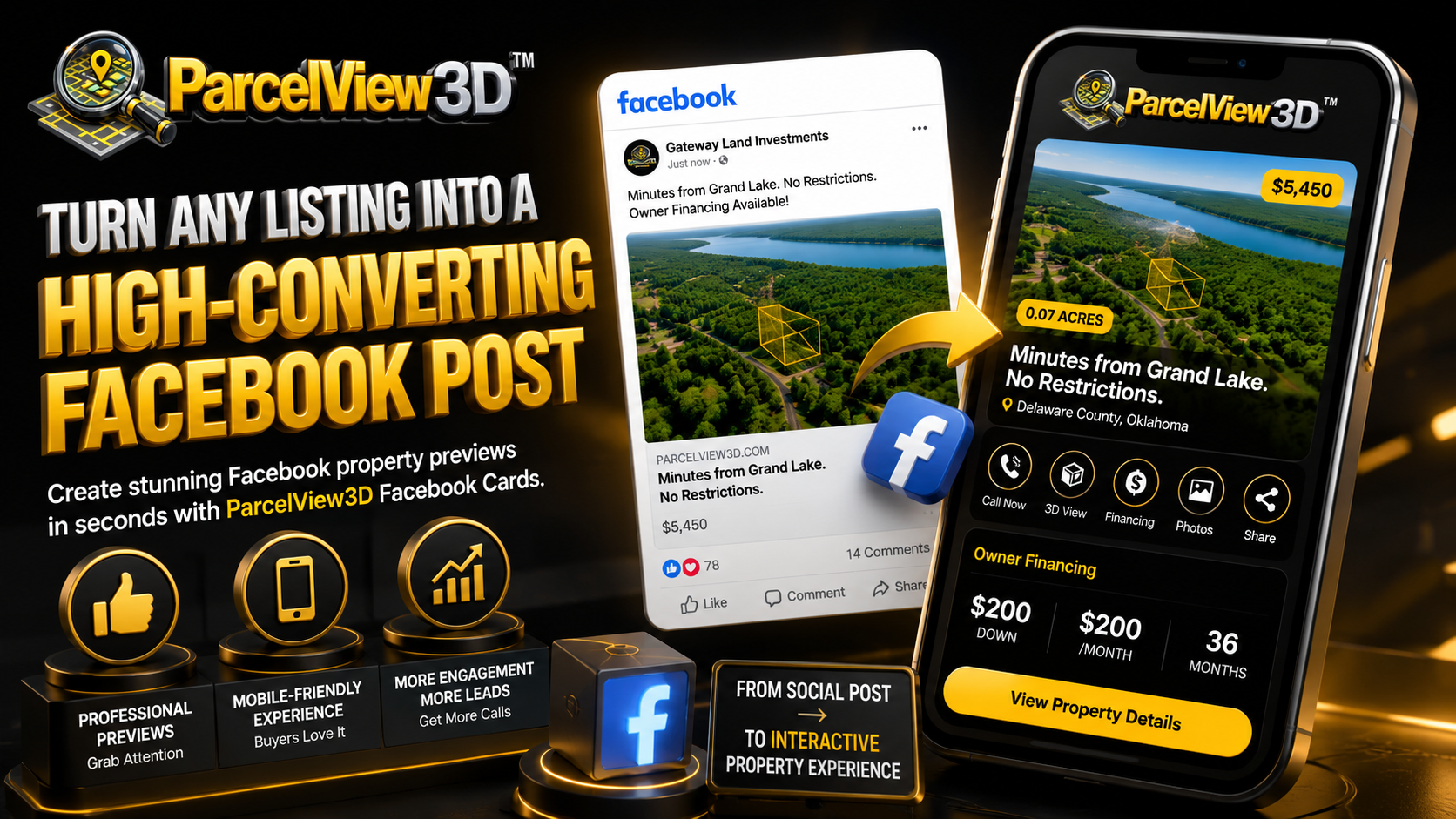
- Copy and paste into Facebook and Let Facebook build the preview. Copy the link and paste it into a new Facebook post — your personal timeline, a business page, or any land and real-estate group where buyers gather. As soon as you paste the link, Facebook automatically generates a rich preview showing your property’s Cover Art, price, and basic information. You don’t need to attach anything else — the card does the heavy lifting for you.
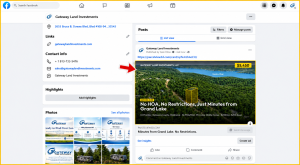
5. Add a caption and publish. Write a caption in your own voice — a short hook, the location, or a standout financing detail all work well — then publish. Your listing is now live in front of your audience, working for you around the clock.
What Buyers See When They Open Your Card
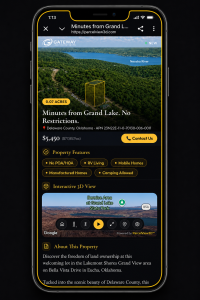
A great post earns the click; the Property Card earns the lead. When a buyer taps your Facebook post, they land on a fast, mobile-friendly Property Card that puts everything they need in one place:
- A one-click Call button that connects them directly to your phone, so an interested buyer can reach you the moment they’re ready.
- Full property details and pricing.
- Monthly payment and owner financing information, so buyers immediately understand how affordable the land really is.
- An interactive 3D view of the property they can explore from any angle.
- The Cover Art plus additional property photos.
- Clearly drawn property boundaries.
- A neighborhood overview that gives buyers a feel for the surrounding area.
- Nearby points of interest — schools, restaurants, grocery stores, parks, shopping, gas stations, medical facilities, churches, and more — each listed with its distance from the property.
- A link to browse your other listings in the ParcelView3D store, turning one interested buyer into a repeat visitor.
Why the Facebook Card Outperforms a Standard Post
A standard Facebook post gives a buyer a single photo and a few lines of text — and then leaves them with questions. Where exactly is the land? What does it look like? How much is the monthly payment? What’s nearby? The ParcelView3D Facebook Card answers all of that in one interactive experience, without the buyer ever having to send a message just to learn the basics. Instead of a flat image they scroll right past, buyers get an immersive card they genuinely spend time with — and the longer they explore, the more likely they are to pick up the phone. That is the advantage ParcelView3D gives you: every share does more, so every post works harder.
Pro Tip
Share the same card across multiple groups and pages to multiply your reach, and pair each post with a fresh caption tailored to that audience. Because every card links back to your full ParcelView3D store, even buyers who aren’t right for this particular parcel can discover the one that’s perfect for them — keeping your entire inventory in front of motivated buyers from a single click.