PARCELVIEW3D · GETTING STARTED
A plain-English answer for land sellers, builders, and agents who want interactive 3D listings — without becoming a software person to get them.
The short answer: no
If you can paste a number into a box and fill out an online form, you can run ParcelView3D. There is no software to install, nothing to code, and no mapping or design background required. The entire point of the platform is to take the hardest, most technical part of modern property marketing — building a genuinely interactive 3D experience of a piece of land or a home — and do it for you, automatically, from a single piece of information you already have: the parcel number.
That’s the honest version. The rest of this article shows you exactly what the process looks like, what you do and don’t need, and why the one step that sounds technical really isn’t.
Why people ask this question
“3D” has a reputation. For years, putting a property in three dimensions meant renting a specialized camera, hiring someone to scan the space, wrestling with modeling software, or paying a developer to bolt something onto your website. Land sellers in particular got the short end of it — most 3D tools were built for walking a buyer through the inside of a finished house, not for flying over ten acres of raw ground to show slope, road frontage, and where the buildable spot actually is.
So the instinct is reasonable: if it looks impressive, it must be complicated to make. ParcelView3D was built specifically to break that assumption. It was designed by a land investor who was tired of losing Saturdays to drone flights and photo editing — which means the whole workflow is aimed at someone who wants results, not a new technical hobby.
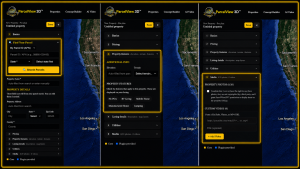
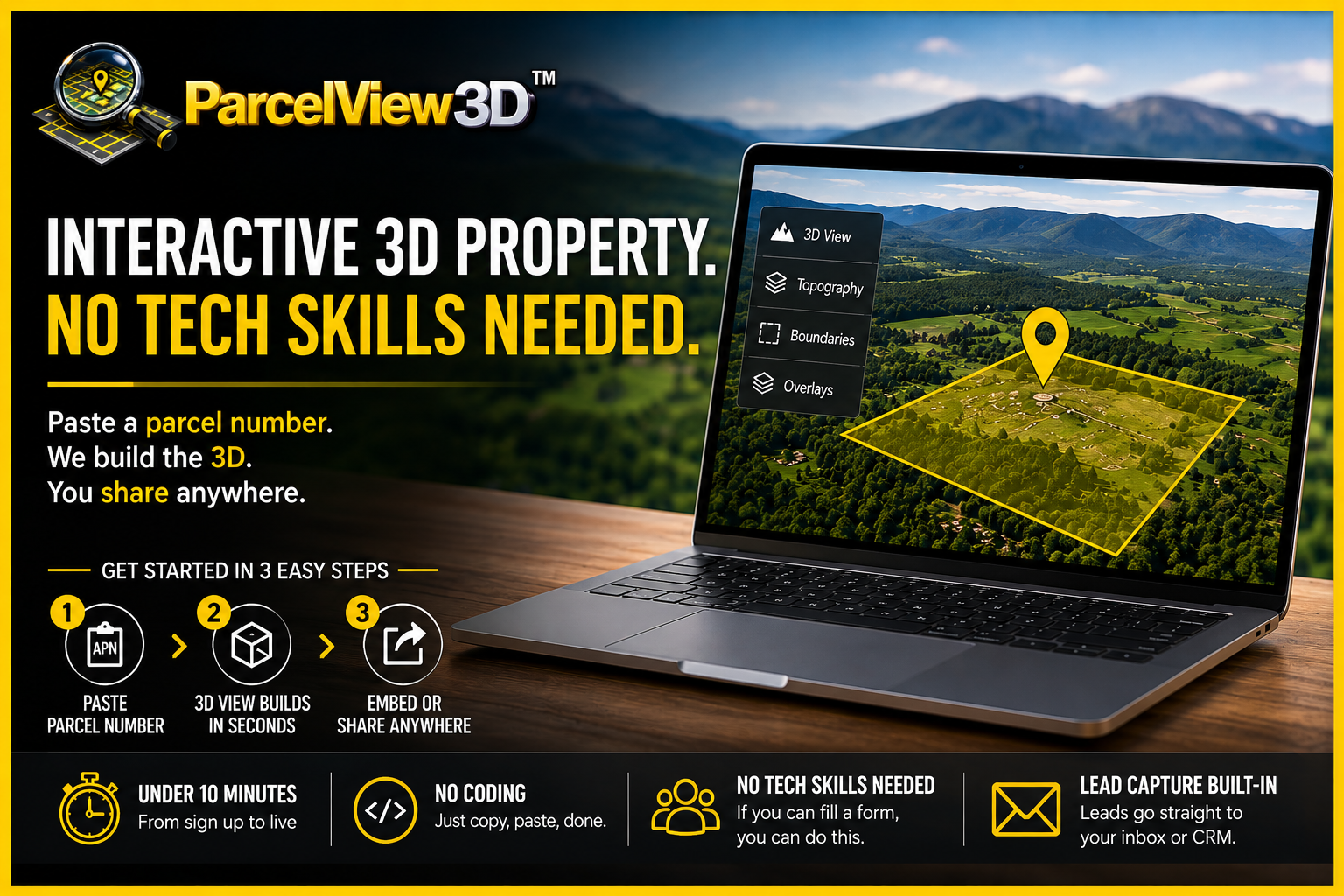
Figure 1 — The full workflow: paste, publish, done. No configuration in between.
What the process actually looks like
Here’s every step, start to finish.
- Paste a parcel number. You type an APN into a box — or, if you’re managing a portfolio, upload a spreadsheet and bring in dozens of listings at once. That’s the only input the system needs from you.
- The 3D builds itself. In seconds, the parcel’s boundaries, terrain, and elevation assemble into a photorealistic, interactive 3D view. You don’t draw the boundary, model the terrain, or place anything by hand, and you never wrestle with settings you’ve never heard of. It simply appears, ready to explore — and you can layer on optional overlays like flood, wetlands, or zoning with a click.
- Embed or share it. When the listing looks the way you want, you publish it: drop it on your website, send a direct link, generate a QR code for a yard sign, or post it to your usual listing channels. A lead-capture form is already built in, so buyer inquiries land in your inbox — or your CRM — with no extra setup.
That’s it. Most sellers go from “I just signed up” to “my first listing is live” in under ten minutes, and a full portfolio live in an afternoon.
What you need — and what you don’t
It’s worth being blunt about the requirements, because the list of things you don’t need is longer than the list of things you do.
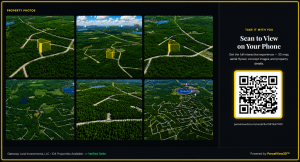
Figure 2 — Every item people assume a 3D tool requires lives in the left column. You need none of it.
The platform absorbs all of that complexity so you never touch it. No scanning hardware. No editing suite. No command line. No mapping certification. If you can fill out an online form, you already have the skills to run it.
The one step that sounds technical (but isn’t)
When people hear “embed it on your website,” some picture a late night of copy-pasting code they don’t understand. This is the least technical part of the whole thing.
Figure 3 — Embedding is a copy-and-paste action, the same as adding a video to a page.
Embedding a ParcelView3D listing works exactly like adding a video to a page: you copy one ready-made line, paste it where you want the viewer to appear, and you’re finished. Prefer not to touch your website at all? You don’t have to. Every listing also comes with its own shareable landing page — a mobile-first PropCard with the 3D viewer, photos, pricing, and lead form already assembled — so you can market a property with nothing but a link or a QR code.
How this compares to conventional 3D and mapping tools
It helps to put ParcelView3D side by side with the traditional way of getting a property into 3D. Most general-purpose 3D tour and mapping tools were built for a different job — and they carry a different learning curve.
|
|
Conventional 3D tour / mapping software | ParcelView3D |
| Built for | Indoor home walkthroughs or GIS specialists | Land, lots & homes — for the person selling them |
| Setup | Install software, scanning gear, or account config | Nothing to install — runs in your browser |
| To create a view | Scan, model, or build the scene by hand | Paste a parcel number; it builds automatically |
| Skill required | Technical, design, or mapping know-how | Fill out a form |
| Time to first listing | Hours to days | Minutes |
| Publishing | Often needs a developer | Copy-paste one line, or share a link / QR |
| Lead capture | Add-on or a separate tool | Built in |
The takeaway isn’t that other tools are bad — it’s that they were built for different users and different jobs, and they ask you to bring the technical skill. ParcelView3D was built so the software brings it instead. You bring the parcel number; it brings everything else.
What if you get stuck?
You won’t need much help, but it’s there. Every plan includes personalized onboarding, so a real person can walk you through your first listing if you’d like. There’s a built-in learning center, responsive support, and step-by-step guides for each feature. And because the platform runs entirely in your browser, there’s nothing on your computer to break, update, or troubleshoot.
If you’d rather not build anything at all, there’s even a Done-For-You option where the team produces the marketing assets for you — but that’s a convenience, not a necessity. The core platform is designed for you to run yourself, comfortably, on day one.
See for yourself
The best proof that no technical skill is required is to try it. The homepage features a live 3D listing you can drag, zoom, and explore right now — no signup, no download. When you’re ready for a guided tour, book a short personalized walkthrough on the demo page, or start a free 7-day trial and put your own first listing live in minutes.
| Try it — no technical skills required
Paste a parcel number, watch the 3D build itself, and share it in minutes. Three quick ways to start: |
▸ Book a personalized demo: parcelview3d.com/demo
▸ Explore the live interactive listing: parcelview3d.com
▸ Start a free 7-day trial (no card required): parcelview3d.com/register
Bottom line: ParcelView3D doesn’t ask you to become technical. It was built precisely so you don’t have to.