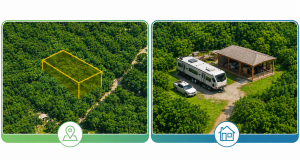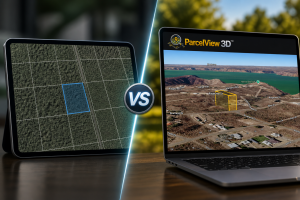
Turn Multiple Parcels Into One High-Value Investment Opportunity
If you’re marketing land and still sending separate property flyers, screenshots, or static maps to buyers, you’re likely making your deals harder to sell.
Today’s buyers want to understand the opportunity quickly. They want to see boundaries, terrain, neighboring parcels, and how multiple properties fit together as a larger investment.
That’s where ParcelView3D stands out.
With ParcelView3D, you can link multiple parcels into a single listing, visualize them together in an interactive 3D environment, and present buyers with a bundled investment opportunity instead of several disconnected properties.
Why Bundle Parcels?
Many wholesalers and land investors acquire multiple adjacent parcels from the same seller. Instead of marketing several parcels individually, bundling creates one larger, more compelling investment opportunity.
Step 1: Open Your Primary Parcel
Start by opening the main parcel that will serve as the base of your bundle.
• Log in to ParcelView3D.
• Search by APN, Address, Owners Name, Coordinates or Property ID.
• Confirm the parcel boundary, acreage, and property details are accurate before moving forward.
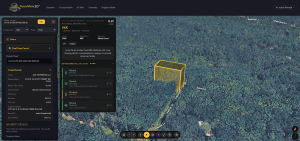
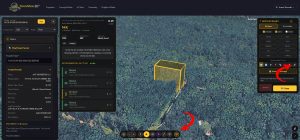
Step 2: Open Settings and Find the Linked Parcel Icon
Once the primary parcel is open, go to the settings area.
• Click the Settings icon.
• Look for the Linked Parcel icon.
• Click Link a Parcel to begin adding another parcel to the same presentation.
Step 3: Add the Second Parcel
After selecting Link a Parcel, search for the second parcel you want to include in the bundle.
• Select the correct parcel from the results.
• Choose a boundary color that makes the parcel easy to distinguish.
• Add a label if you want buyers to quickly identify the parcel.
• Use clear labels such as Parcel 1, Parcel 2, North Lot, South Lot, or Bundle Lot A.
Labels are optional, but they are helpful when multiple boundaries are close together or when you want to reference specific parcels during buyer follow-up.
• Click Add Link
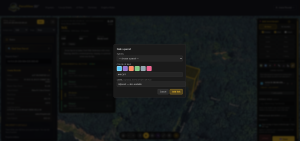
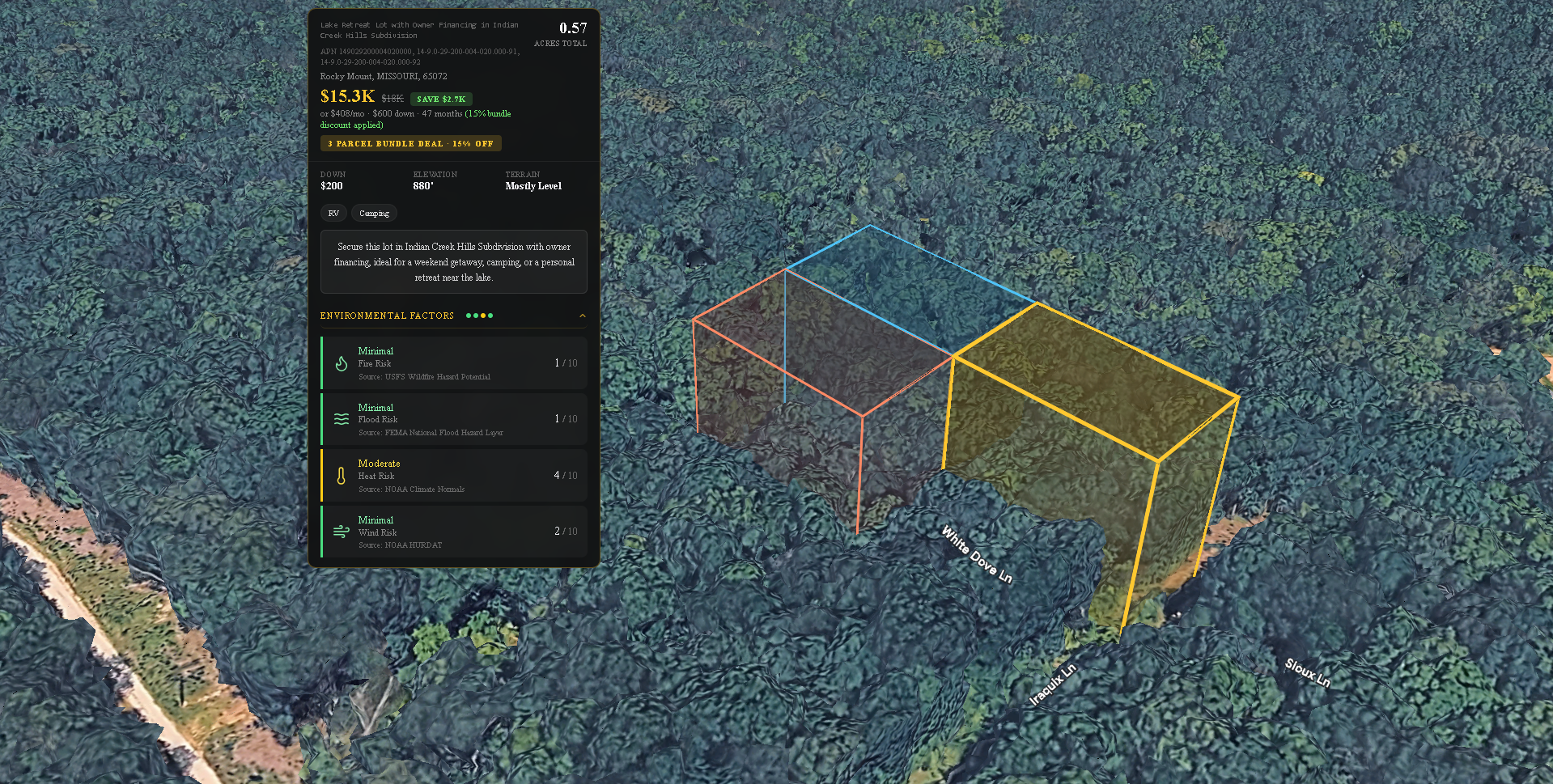
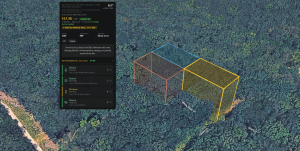
ParcelView3D will now show the second parcel together with the primary parcel, helping buyers see how the properties relate to each other.
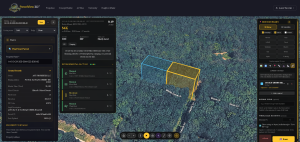
Step 5: Repeat for Additional Parcels
If your bundle includes more than two parcels, repeat the same process.
• Click Link a Parcel again.
• Search for the next parcel.
• Add it to the bundle.
• Select a boundary color and optional label.
Continue until every parcel that belongs in the package is linked. Before moving forward, review the full view and make sure each boundary is visible and easy to understand.
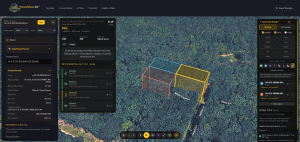
Step 6: Add an Optional Bundle Title
A bundle title helps buyers immediately understand what they are viewing. This is optional, but recommended for marketing clarity.
• Add a short, clear title for the package.
• Use buyer-focused wording, such as 47-Acre Investment Bundle, 3-Lot Lake Area Package, or Adjacent Parcel Opportunity.
• Keep the title simple and avoid overloading it with too much detail.
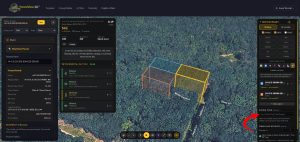
Step 7: Add an Optional Wholesale Discount
If you want to motivate buyers to purchase the full package, add a wholesale discount.
• Enter the discounted bundle price or discount amount. Ex: 15%
Step 8: Turn Buyer Savings On or Off
ParcelView3D lets you control whether buyers see the savings display.
• Turn Show Savings on if you want buyers to see the original price with a strikethrough.
• Turn Show Savings off if you prefer to display only the final bundle price.
• When savings are shown, buyers can see the original price, discounted price, and total savings.
Showing the savings can create urgency because the buyer immediately understands the benefit of purchasing the bundle instead of looking at each parcel separately.
Step 9: Save Your Bundle
Once everything looks correct:
• Review linked parcels.
• Confirm labels, colors, and pricing.
• Click Save, and here is the final output.
Step 10: Share With Buyers
ParcelView3D will generate a shareable bundle link. Distribute the listing through:
• Text messages
• Email campaigns
• Social media
• Buyer lists
Step 11: Track Buyer Engagement
Monitor:
• Listing opens
• Property views
• Engagement time
• Parcel interactions
Final Thoughts
Bundling parcels is one of the fastest ways to increase perceived value and create stronger investment opportunities for buyers.
ParcelView3D provides an immersive and professional presentation experience that helps buyers understand the full scope of an opportunity while making your listings stand out from traditional static presentations.