A practical walkthrough for land investors who are tired of listings that just sit there.
Every land investor has a few of these in their portfolio. Decent property. Fair price. Solid road frontage. And yet the listing has been up for 90, 120, sometimes 180 days with nothing but tire-kickers in the inbox. The deal isn’t bad. The presentation is.
Land is uniquely hard to sell online because buyers can’t walk it the way they can walk a house. They’re staring at a flat satellite thumbnail and a paragraph of text, trying to decide whether to spend $20,000 or $200,000 sight unseen. Most of them give up and scroll. The ones who don’t tend to ask the same five questions over and over until you’re spending half your week on the phone explaining where the parcel actually is.
This guide walks through a workflow that takes one of those stuck listings and rebuilds the buyer experience around it in under 10 minutes using ParcelView3D. By the end, your property page is doing the explaining for you, qualified buyers are spending real time on the listing instead of bouncing, and your phone is ringing for the right reasons.
The real problem: buyers can’t picture the property
If you’ve sold land for any length of time, you’ve heard some version of this: “I love the price, but I just can’t get out there to see it.” That’s the gap. The buyer is interested enough to ask, but not confident enough to commit. Their hesitation isn’t about money — it’s about uncertainty.
Static photos and a satellite map don’t close that gap. A drone shot looks great on the listing, but it shows one frozen angle from one moment in time. The buyer still can’t tell where the road actually meets the property, what the terrain looks like, how the land sits relative to the neighbors, or what they’d actually see standing on it. Every unanswered visual question is a reason to keep scrolling.
The fix is to give the buyer a way to explore the property themselves, on their own time, from their phone or laptop, without you on the other end of a phone call. That’s the entire premise behind ParcelView3D.
Step 1: Drop in the parcel (about 60 seconds)
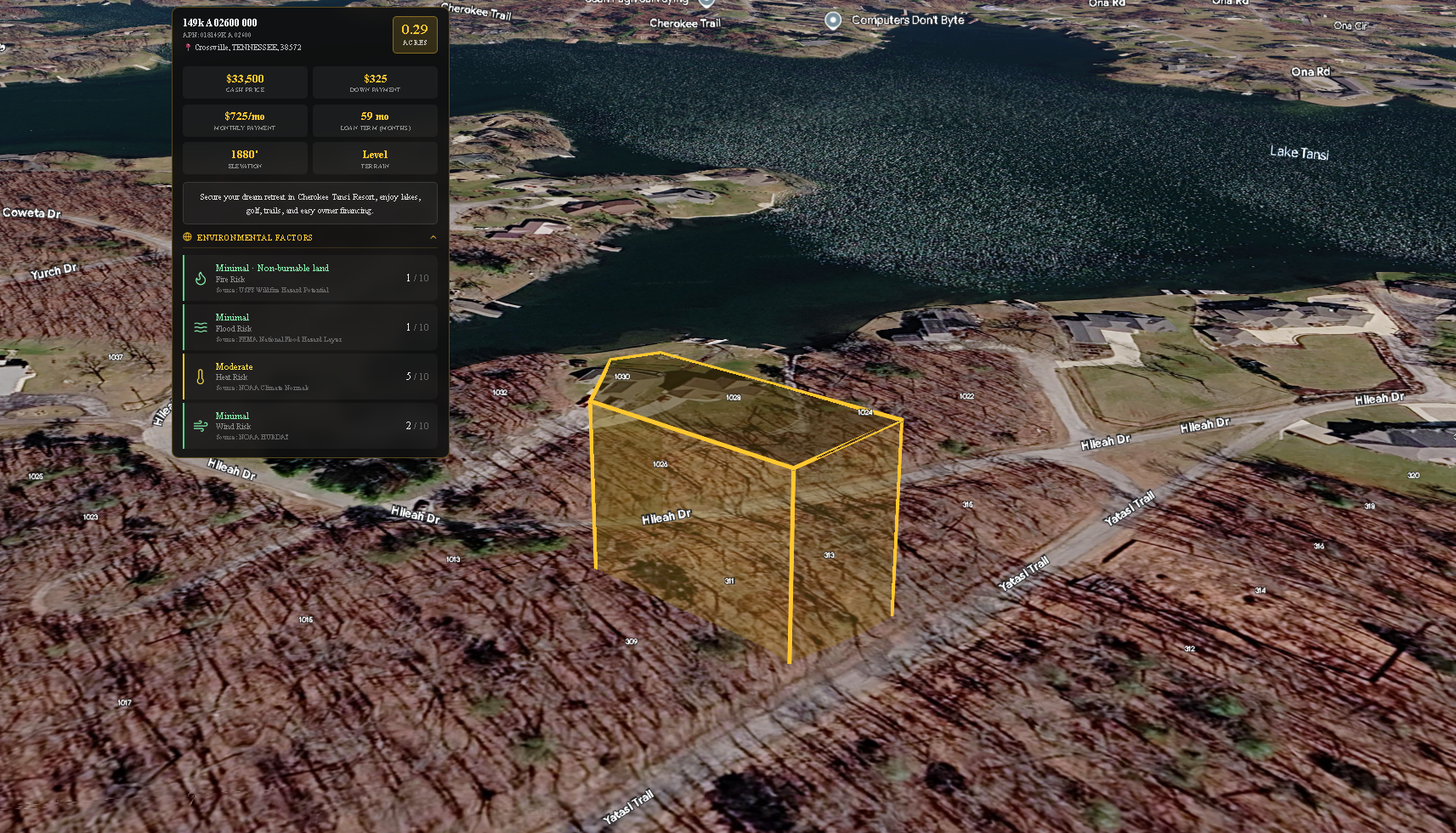
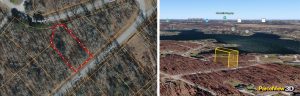
Open ParcelView3D and paste in the property address or APN. The platform pulls the official parcel boundaries automatically and renders the property with a clean gold outline so the lot is unmistakable. No tracing, no manual polygon drawing, no exporting GIS files.
This is the first place a lot of investors save real time. If you’ve ever tried to mark a parcel manually on top of a screenshot in Photoshop or Canva, you know it’s a 20-minute exercise that still ends up looking off. Here, the boundary is generated from authoritative parcel data, so it’s accurate the first time.
Step 2: Frame the property the way a buyer would actually see it
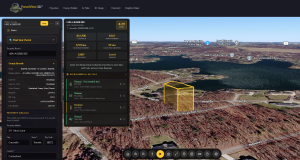
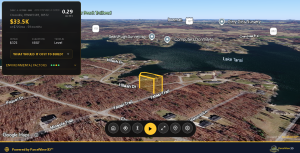
Now the fun part. Rotate the view, tilt the camera down, and find the angle that tells the property’s story. For a wooded recreational lot, that might be a low oblique shot showing tree cover and a creek. For a buildable parcel, it’s usually a higher angle that emphasizes the road frontage, the cleared building site, and how the lot sits relative to neighbors.
This is where ParcelView3D does something that flat listings simply cannot: it lets the buyer feel the property’s context. They can see that the lot backs up to undeveloped land, or that there’s a cul-de-sac at the end of the access road, or that the terrain slopes gently toward a pond. These are the details that turn casual interest into a serious inquiry — and they’re the same details investors usually waste hours describing on the phone.
Save two or three preset views: one wide establishing shot, one closer angle highlighting the best feature, and one looking from the access point inward (this one in particular tends to do a lot of heavy lifting because it answers the “how do I get to it” question without a single word of explanation).
Step 3: Add the details buyers ask about before they ask
Most buyer questions on a land listing are predictable. Where exactly is the driveway? Where would I put the cabin? How far is the nearest power line? Is there a clearing big enough for a build site? You answer these the same way every time.
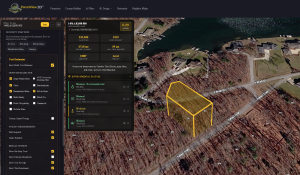
ParcelView3D lets you pin those answers directly onto the property. Drop a marker on the proposed building site. Add a label where the access easement meets the road. Highlight the cleared section. Each pin shows up in the buyer’s view as they explore, so the answers arrive at exactly the moment the question forms in their head.
The compounding effect here is significant. A buyer who has their first three questions answered before they even pick up the phone is no longer a tire-kicker — they’re qualified. By the time they contact you, they’re asking about financing terms, not asking where the property is.
Step 4: Embed it in the listing and let it work
ParcelView3D generates a single embed snippet that drops into your existing listing page, your Land.com or LandWatch posting (where supported), your owner-financing site, or any WordPress page. The interactive view loads inline, the buyer can pan and zoom on their phone, and you don’t need to host or maintain anything.
For investors running their own websites, the embed is responsive out of the box and works on mobile without the buyer having to download an app or create an account. For investors using the LM365 plugin or a standalone landing page, it’s the same one-line embed.
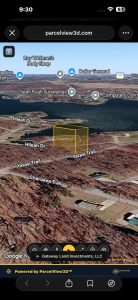
Step 4 — The interactive ParcelView3D embed live on a property listing page, viewed from a phone.
How this compares to what most investors are using today
Most land investors are still relying on a stack of three or four tools to do what ParcelView3D does in one. A static satellite screenshot from a parcel-data tool. A drone photo from a one-time visit. A Google Maps link that drops the buyer in the middle of nowhere with no boundaries. And a paragraph of text trying to tie it all together.
Tools like LandGlide and AcreValue do an excellent job at what they were built for — parcel data lookup and ownership records. They’re investor-side tools. They were never designed to be the buyer-facing presentation layer, and dropping a buyer into one of those interfaces is a fast way to lose them. Land ID’s mapbook approach is closer to a buyer experience but tends toward technical-feeling overlays that work better for due diligence than for inspiring a purchase decision.
ParcelView3D was built specifically for the moment a buyer is deciding whether to pull the trigger. It’s a presentation tool, not a data tool, and that focus shows up in the way the property feels when someone lands on the page. The buyer isn’t looking at a map — they’re looking at the property.
Investors who switch typically consolidate two or three of these tools down to one workflow, and more importantly, they stop losing buyers in the gap between “interested” and “ready to talk.”
What changes once you do this on every listing
The first thing most investors notice is fewer phone calls — but better ones. Buyers who reach out have already done the visual due diligence themselves and are calling about price, terms, or closing timeline. The unqualified “where is this exactly?” calls drop off because the listing already answered that.
The second thing is time on page. Listings with an interactive view hold attention dramatically longer than listings with a flat thumbnail. That matters both for direct-buyer conversion and for any platform that ranks listings by engagement (which is most of them, including the marketplaces and your own SEO).
The third thing is referral and share behavior. Buyers send the listing link to their spouse, their builder, or their RV-club friend, and the recipient gets the same interactive experience instead of trying to make sense of a flat image. Each share is a free qualified impression — and it only happens when the listing is interesting enough to share.
Try it on one of your stuck listings
The fastest way to see whether this works for your portfolio is to take one listing that’s been sitting too long, build it out using the workflow above, and watch what happens to your inquiries over the next two weeks.
See a live, interactive ParcelView3D demo here: parcelview3d.com.
Or jump straight into building a view of one of your own properties at parcelview3d.com.
Ten minutes. One listing. The difference is usually obvious by the end of the first week.