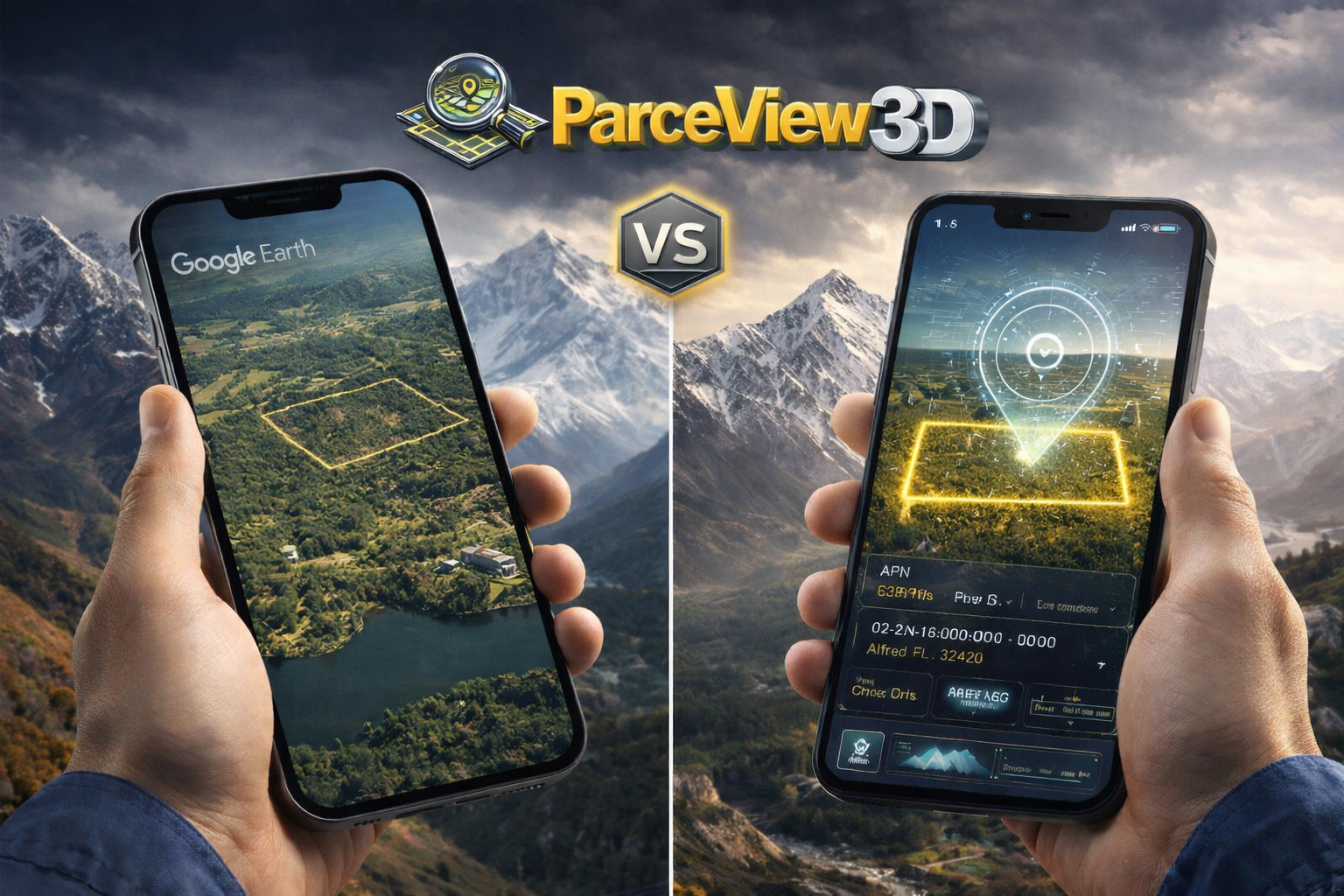
Both tools put your property on a 3D map. Only one helps you close the deal. Here’s what land sellers need to know before choosing the wrong tool.
When a buyer asks “can you show me what the property looks like?” your answer matters more than you think. The tool you reach for — and what you’re able to show them — can be the difference between a signed contract and a dead lead.
Google Earth is free, recognizable, and genuinely impressive for satellite imagery. So it’s a natural first instinct. But if you’re selling land professionally, leaning on Google Earth is a bit like navigating a city with a printed road atlas — it’ll get you somewhere, but it’s not built for the job.
This comparison breaks down exactly what each tool does, where they differ, and which one belongs in your land marketing stack.
What Google Earth Is Actually Built For
Google Earth is a geographic exploration tool. It was designed to let curious people zoom into any corner of the planet, explore terrain, and satisfy a fundamental human instinct to see the world from above. It does this exceptionally well.
For a land seller, that free global imagery is genuinely useful — especially for a quick sanity check on a parcel you’re evaluating. You can tilt the view, toggle between time-lapse imagery, and get a rough feel for topography and surrounding land use.
But Google Earth has no concept of a land transaction. It doesn’t know what a parcel boundary is, what a buyer needs to make a decision, or how to turn a satellite image into a marketing asset. Those gaps are where sellers start losing deals.
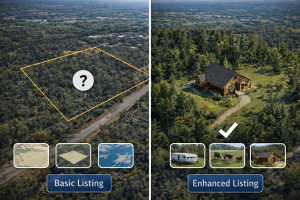
The hard truth: when a buyer opens Google Earth to look at your listing, they see the world — not your property. There are no boundaries, no acreage callouts, no features highlighted, no call to action. They’re on their own to figure out what they’re even looking at.
What ParcelView3D Is Built For
ParcelView3D starts where Google Earth stops. It’s purpose-built for land marketing — which means every feature is designed around one question: does this help a buyer understand, trust, and act on this listing?
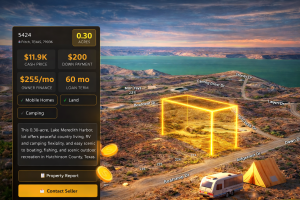
The core experience is a 3D property viewer that displays the actual parcel boundary on top of real terrain data. Buyers can orbit the property, see its exact footprint, understand the topography, and explore surrounding roads and landmarks — all with your branding, your contact information, and a clear path to inquire or purchase.
Beyond the viewer, PV3D wraps your listing in a full marketing layer: AI-generated concept renders of what the property could look like developed, automated Neighbor Mailer campaigns, a branded marketplace listing, PropCards with QR codes, and monthly performance reports so you know which listings are getting traction and which aren’t.
Feature-by-Feature Comparison
Here’s how the two tools stack up across the capabilities that matter most for land sellers:
| Feature | Google Earth | ParcelView3D |
| 3D terrain visualization | ✓ Yes | ✓ Yes |
| Parcel boundary overlay | ✗ No | ✓ Yes — exact APN data |
| Property acreage & specs display | ✗ No | ✓ Yes |
| Shareable embed / listing link | ⚠ Limited (external link only) | ✓ Branded embed & link |
| Feature badges (RV, camping, etc.) | ✗ No | ✓ Yes — pill badges on embed |
| AI concept renders | ✗ No | ✓ Yes |
| Seller branding & logo | ✗ No | ✓ Yes |
| Street View / Ground View | ✓ Yes (Google Street View) | ✓ Yes — integrated |
| Neighbor Mailer campaigns | ✗ No | ✓ Yes — physical mail w/ QR |
| Marketplace listing page | ✗ No | ✓ Yes |
| Monthly performance reports | ✗ No | ✓ Yes — email analytics |
| PropCards (QR + print) | ✗ No | ✓ Yes |
| Flood / wetlands data layer | ⚠ Basic only | ✓ Yes — GeoTap integration |
| Cost to use | Free | Starts at $49/mo |
| Built for land sellers | ✗ No | ✓ Yes — purpose-built |
The Real Cost of Using the Wrong Tool
Google Earth is free. That’s a compelling number. But “free” only wins if the tool actually does what you need — and for land marketing, free satellite imagery without transaction context carries a hidden cost.
Remote Buyers Are Your Biggest Opportunity
The land market is increasingly national. A buyer in Chicago scrolling listings for Tennessee recreational property has never set foot in the state and isn’t going to drive 8 hours to preview a $45,000 parcel before making an offer. They need to feel like they’ve already been there.
Google Earth lets a buyer zoom in on a vague area. ParcelView3D lets them orbit your specific property, see its exact boundaries, understand the terrain, and view what a cabin could look like on it — all before they send their first message.
| Industry data: Properties marketed with 3D virtual tours expand the remote buyer pool by 300–500% and sell 40–60% faster than listings with photos alone. |
The Ambiguity Problem
When a buyer can’t clearly see where a property ends, they assume the worst. Vague boundaries create doubt, doubt kills urgency, and killed urgency means someone else’s listing — the one with the clear boundary overlay and the concept render — gets the offer instead.
What You’re Not Able to Show
There are things a buyer needs to know before they’ll seriously consider a piece of land:
- Exactly how big is this property and what shape is it?
- What are the access roads?
- Are there wetlands, flood zones, or easements I should know about?
- Could I build here? What would it look like?
- Is this a serious seller with real listings, or a one-off?
Google Earth answers exactly none of those questions. ParcelView3D is built to answer all of them.
When Google Earth Still Has a Place
This isn’t a condemnation of Google Earth — it’s a clarification of roles. Google Earth is genuinely useful for:
- Initial property evaluation — Quick sanity check on a parcel you’re considering buying before committing to deeper due diligence.
- Surrounding land context — Zooming out to understand what’s next door: industrial, residential, agricultural, state forest.
- Historical imagery comparison — Checking time-lapse to see how land use has shifted over 10–20 years.
- Informal communication — Sharing a quick screenshot in a text or email to say “here’s roughly where it is.”
In other words: Google Earth is a research and exploration tool. ParcelView3D is a sales and marketing platform. The two aren’t really competitors — they serve different moments in the process.
| 🏆 Bottom line: use both, but know what each is for
Google Earth during your acquisition research. ParcelView3D when it’s time to turn that property into a marketed listing that sells. Trying to use Google Earth as a marketing tool is like handing a buyer a topographic map and asking them to fall in love with your property. |
What Professional Land Marketing Actually Looks Like
The goal of a listing isn’t just to inform — it’s to create conviction. A buyer who looks at your ParcelView3D embed should feel like they’ve already visited the property. They should understand the size, the terrain, the features, and the opportunity. They should see your name and know you’re a professional.
That experience doesn’t happen with a screenshot from Google Earth. It happens when you have:
- An interactive 3D viewer with the real parcel boundary
- Feature flags that answer common questions upfront
- AI concept renders showing the property’s potential
- A branded marketplace listing with a clear call to action
- A PropCard with a QR code for physical marketing
- A Neighbor Mailer campaign reaching the people most likely to want the land
None of that is possible with a free satellite viewer. All of it is built into ParcelView3D.
The Verdict
If you’re selling one piece of land as a one-off, Google Earth might be enough to show someone where the property is. But if you’re running a land business — acquiring, marketing, and selling parcels on a repeatable basis — Google Earth is a bicycle when you need a truck.
ParcelView3D was built by land sellers for land sellers. Every feature — from the 3D boundary viewer to the Neighbor Mailer to the PropCards — exists because it directly affects whether a buyer reaches out, whether they make an offer, and whether that property sells faster and closer to asking price.
The question isn’t whether professional tooling costs money. The question is whether the deals you close with it cover the cost — and for most sellers running even a handful of transactions a year, the answer is obvious.
| Ready to Market Your Properties Like a Pro?
See what ParcelView3D does for your listings — free to explore, no commitment required. |